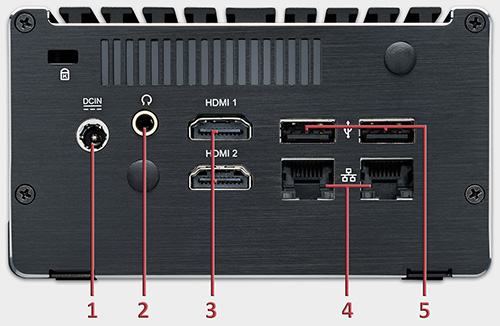
Avio Master is pre-installed and pre-configured and allows very quick starting.
Connect the supplied mains adapter to the power socket (1) and the mains supply.
Connect keyboard and mouse to the USB ports (3, 5, 6 or 7).
Connect the control monitor to one of the HDMI ports (3).
Connect your audio system to the headset output (2).
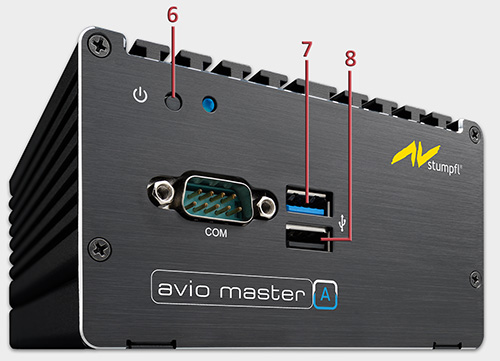
Start Avio Master by pressing the switch (6) with a pen tip. After starting the Desktop with some icons and buttons appears.
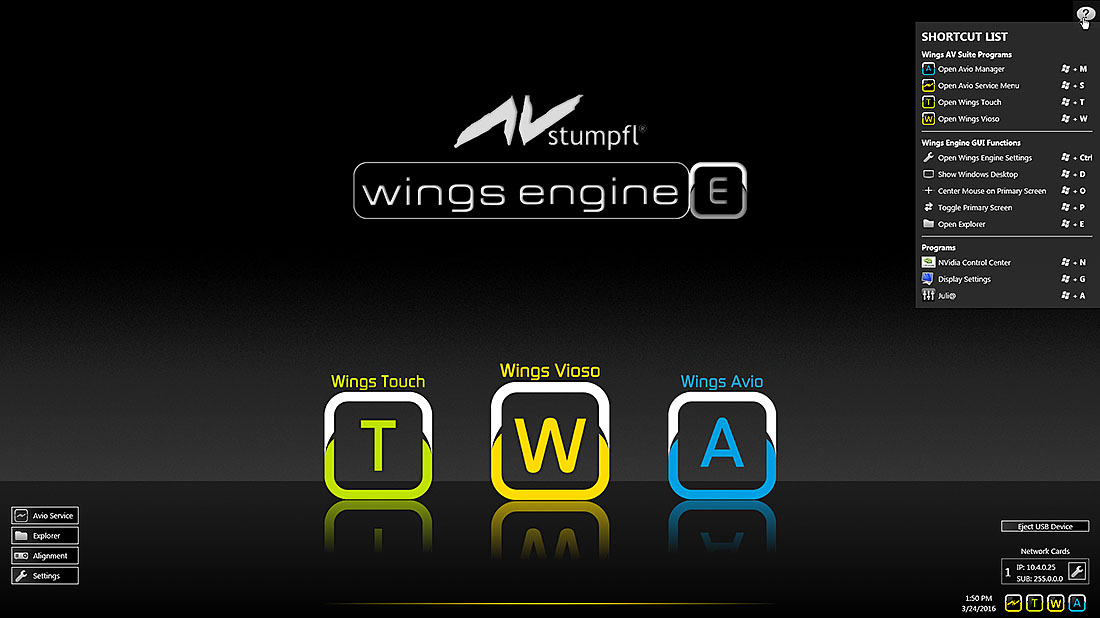
Click on the icons to start the required applications.
Switch off Avio Master by clicking  and
and  following which the server is shut down.
 If Wings Vioso is to start up automatically after starting the Wings Engine click followed by clicking Wings Vioso and place a checkmark next to Start Wings on System Startup. There are various options for loading and starting certain shows. See Global Options - Program start.
See also